
A recreation of the classic Bad Apple!! effect rendered as an animated mosaic of apples, using multiple synchronised Win32 windows.
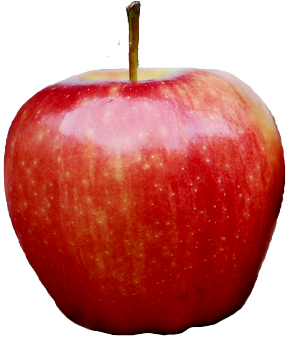
Instead of blank white areas, each animation tile is drawn as an apple using the
apple.icoresource embedded in the executable.
The programme creates an animated composition in real time. Each window represents part of the current frame, while its position, size and visibility are updated at approximately 30 frames per second.
The music and frame data are embedded during compilation, so the final executable does not need the assets/ directory beside it when it is run.
- Windows 10 or later, 64-bit;
- An available audio output device;
- Sufficient CPU/GPU performance to handle many simultaneous windows.
The application may create up to 155 windows. Performance and memory usage therefore depend on the host system.
The executable can be downloaded from the GitHub Releases section or built locally using the instructions below.
The Windows GUI x86-64 executable contains the following resources:
- compressed frame data (
assets/boxes.bin); - OGG soundtrack (
assets/n.ogg); - the apple icon (
apple.ico).
Install Rust, then run:
cargo build --releaseThe executable will be created at:
target/release/bad_apple.exe
To check the project without producing the final binary:
cargo checkOn Ubuntu or Debian, install Rust, the Windows GNU target and the MinGW toolchain:
rustup target add x86_64-pc-windows-gnu
sudo apt install gcc-mingw-w64-x86-64
Then build the release executable:
cargo build --release --target x86_64-pc-windows-gnuThe executable will be created at:
target/x86_64-pc-windows-gnu/release/bad_apple.exe
The build.rs script configures winres to embed the icon and application manifest during MinGW cross-compilation as well.
On Windows, open:
bad_apple.exe
To stop the programme, close its window or terminate the process through Task Manager if necessary.
The programme may create several windows without appearing like a conventional application on the taskbar. This is part of the visual technique used to build each frame.
- The original processing script converts video frames into rectangular regions.
- The regions are serialised into
assets/boxes.bin. - The programme loads this data at compile time.
- On each audio clock tick, the windows are repositioned and resized.
- Each window paints the
apple.icoresource at the size of its tile. - Windows that are not part of the current frame are hidden.
The internal clock is configured for 30 ticks per second to keep the animation synchronised with the soundtrack.
.
├── assets/
│   ├── boxes.bin       # Compressed frame data
│   └── n.ogg           # Soundtrack
├── src/
│   ├── main.rs         # Window management, rendering and synchronisation
│   ├── util.rs         # Win32 utilities
│   └── commandline_gui_helpers.rs
├── apple.ico           # Icon used by the windows and executable
├── bad apple.py        # Original frame-processing script
├── build.rs            # Windows resource embedding
├── Cargo.toml
└── Cargo.lock
- The project is Windows-specific because it directly uses Win32 APIs.
- The application uses multiple windows to construct the image rather than rendering everything on a single surface.
- The apple is loaded as Windows resource ID
1. - Audio playback is provided by the
kiralibrary. - Frame data compression uses
include-bytes-zstd. - Once built, the executable does not require external project files to play the animation.
- Bad Apple!! — music and video originally associated with the Touhou Project.
- The apple icon is based on the resource referenced by the original
build.rs: https://upload.wikimedia.org/wikipedia/commons/4/4e/Single_apple.png - This project uses Rust, Win32, Kira and Zstandard to produce the playback.
This repository is a technical fan-made implementation and does not claim ownership of the original music, video or Touhou Project universe.
Check that an audio output device is available. The audio library needs to find a default output device before playback can start.
This may be caused by the creation and continual updating of many windows. Try:
- closing other applications running in the background;
- lowering the desktop resolution;
- using a system with stronger CPU/GPU performance;
- checking that hardware acceleration is enabled.
Check that you are running the 64-bit Windows executable and that the application is not being hidden or minimised by the desktop environment. If the process is running but no animation is visible, inspect the application windows using Task Manager or restart the programme.
Make sure that Windows has a default output device selected and that the application is not muted by the system volume mixer. The executable does not require an external .ogg file, but it still needs a working audio output device.
Based on mon's bad_apple_virus project
Important note: This application is not a real virus; to close the application, simply open the Windows Task Manager and end the task named bad_apple.