
Arm-free YUBI gripper simulation in MuJoCo. Command two end-effector poses and
absolute gripper angles, test contact-based manipulation, and connect a local
Policy.infer(obs) implementation.
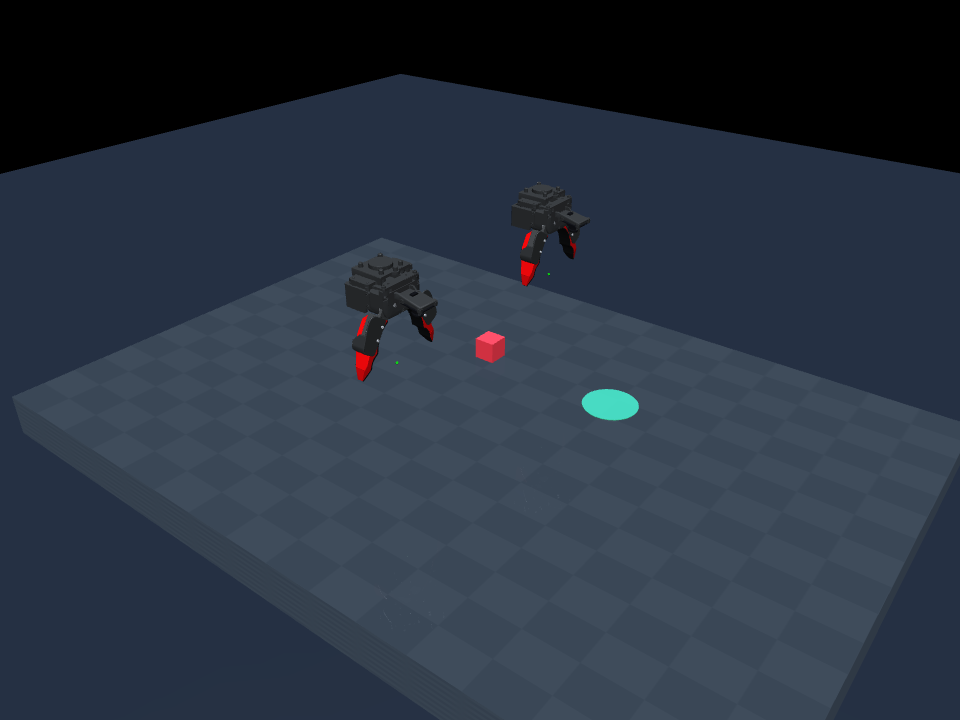
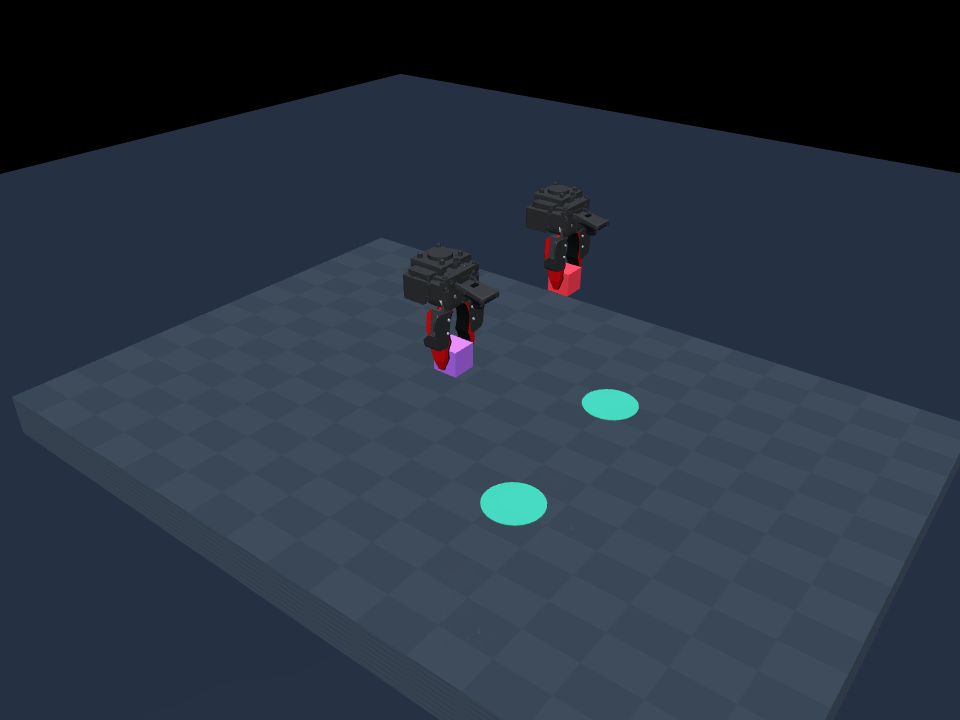
The black/red grippers use Toyota's actual robot-gripper CAD: 97 source solids, partitioned into 13 material meshes. Dynamic hands follow finite-stiffness mocap targets; objects are moved by contact, without grasp attachments or teleporting.
Independent, unofficial simulation. This is for interface checks, synthetic experiments, and regression tests. It is not a calibrated robot model or an UMI Arena benchmark. The bundled scripted demos use privileged object positions; their success is not a learned-policy result.
With uv:
git clone https://github.com/k1000dai/yubi_mujoco.git
cd yubi_mujoco
uv sync
uv run yubi-mujoco --version
Or with pip, from the checkout: python -m pip install .
Python 3.10+ is supported. The only runtime dependencies are MuJoCo, NumPy, and SciPy; no GPU, ROS, FreeCAD, or robot is needed for physics. Images and the viewer need a working OpenGL backend; see rendering setup.
uv run yubi-mujoco demo --viewer
uv run yubi-mujoco demo --viewer --task dual_pick_place --episodes 3
--viewer opens the interactive MuJoCo window and plays the rollout in real
time. It works for demo and evaluate; closing the window stops the run.
On macOS the CLI relaunches itself under mjpython automatically.
# A contact-based pick-and-place demo; writes JSON results to yubi-output/demo
uv run yubi-mujoco demo

# Other tasks and repeatable seed batches
uv run yubi-mujoco demo --task dual_pick_place --episodes 5 --seed 0
uv run yubi-mujoco demo --task lift --hz 10 --output yubi-output/lift
uv run yubi-mujoco demo --task push --output yubi-output/push

# A scene image, and a portable MJCF bundle
uv run yubi-mujoco render --output scene.png --camera overview
uv run yubi-mujoco export-mjcf --output yubi-output/mjcf
Tasks are pick_place (default), dual_pick_place, lift, and push. See
uv run yubi-mujoco <command> --help for all options. After a pip install, call
yubi-mujoco directly.
For MP4 video, add the optional video extra:
uv run --extra video yubi-mujoco demo --task dual_pick_place --video --output yubi-output/videofrom yubi_mujoco import SimConfig, YubiEnv
with YubiEnv(SimConfig(task="pick_place", control_hz=30)) as env:
obs, info = env.reset(seed=42)
target = env.eef_poses.copy() # (2, 7), left then right
target[0, 0] += 0.03 # world +X, in metres
motor = env.motor_for_jaw([0.4, 0.55])
obs, reward, terminated, truncated, info = env.step_absolute(target, motor)Poses are hand-root [x, y, z, qx, qy, qz, qw], in metres and world coordinates.
Gripper commands are two absolute motor positions in radians, not normalized
openness, finger width, or deltas. Motor-to-jaw calibration is nominal. Image
observations are opt-in for direct API use; info contains privileged state.
See the complete API and policy contract.
# Interface smoke test; an idle hold policy is not expected to solve the task
uv run yubi-mujoco evaluate --policy hold --horizon 64 --output yubi-output/hold

uv run yubi-mujoco evaluate --policy /path/to/policy.py \
  --checkpoint /path/to/checkpoint --hz 30 --adopt-rows 16 \
  --output yubi-output/policy
Add --viewer to watch the policy act. Evaluation renders two wrist images,
even without --video, and needs OpenGL. Only load trusted Python policy files.
See examples/policy.py and the
UMI Arena submission contract.
Dataset/replay timing is 30 Hz; the published robot execution description uses
10 Hz. Select the intended rate explicitly. This package does not download
checkpoints or gated datasets, and does not replace the official checker.
- Usage, controls, rendering, and policy timing
- Model assumptions and calibration limits
- Validation and reproducible checks
- CAD provenance and regeneration
- Contributing and releases · Changelog
Source geometry is pinned to Toyota/yubi-hw at dd8bd13.
The source STEP and regeneration tools are in cad/; they are not runtime
requirements. The installed package contains the active meshes and manifests.
Original simulation software: MIT. Toyota-derived CAD, meshes, and transformation data: CERN-OHL-W-2.0, Copyright 2026 Toyota Motor Corporation. Upstream software references use Apache-2.0; see the attribution notice. Hardware-derived assets are not relicensed under MIT. Toyota and AIRoA do not endorse or certify this project.